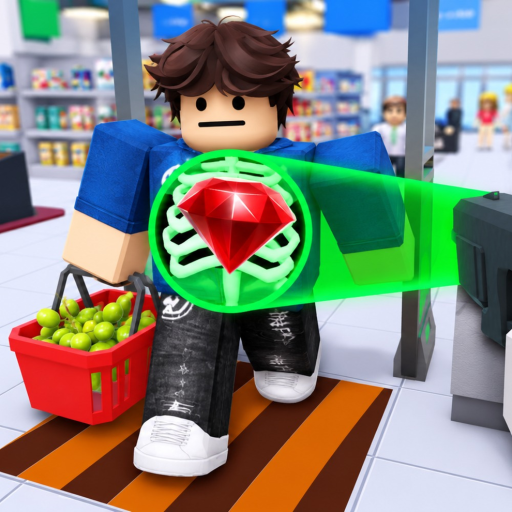
Receipt and basket match
The clearest early example lists Baguette x1, Flour x1. The basket shows the same items, so the customer is passed.
This route follows the order visible in the analyzed PC run. The video cuts past the true opening tutorial, so the first confirmed step is the exit workstation.
Go to the exit scanning area, face a customer, and wait for the receipt. Compare every listed item with the basket. On PC, aim at PASS and press E when everything matches. If the customer carries an unlisted item, choose ARREST, use handcuffs, and take the thief to JAIL. Keep repeating that loop until the Day 1 GOAL is complete.
Each step below is visible in the gameplay flow. The exact lobby-to-workstation tutorial is omitted because the source video skips it.
Keep the current customer and basket in view while the receipt panel appears.
A matching receipt can have two or three listed items. Read the whole list before choosing.
Aim at the green PASS side and press E on PC.
Aim at the red ARREST side and press E when the basket contains something missing from the receipt.
Use handcuffs and complete the detention at the marked JAIL area.
The day ends at DAY 1 OVER when the recorded run reaches its target.
The clearest early example lists Baguette x1, Flour x1. The basket shows the same items, so the customer is passed.
In the complete theft example, the receipt says No items listed but the basket contains Fish x1. The player arrests the customer and completes JAIL.
Need the full comparison table? Open the receipt scanning guide.
These are results from the analyzed run, not guaranteed targets or reward rates for every server.
Criminals escaped
Criminals arrested / killed
Customers arrested / killed
Customers checked out
The screen showed +135 Cash for completing Day 1 and 180 Cash afterward. The reward formula was not tested across multiple runs.
The analyzed Day 1 does not show a purchase. The first fully readable paid class above Guard is Senior Guard at 750 Cash or 80 Robux, with 120 Health and a Raging Bull secondary. That confirms the option, not that it is the best value.
Learn the receipt and JAIL loop first. When you are ready to compare the four readable class cards, use the classes page.
The analyzed run works from the customer exit and scanning station. Its true first seconds were edited out, so this guide begins at the first clearly observed workstation rather than inventing the missing tutorial path.
Complete correct customer checks and meet the day GOAL. In the recorded Day 1 run, the completion reward was 135 Cash and the balance shown afterward was 180 Cash. Those amounts describe that run, not a fixed current reward formula.
The footage does not establish a best first purchase. It shows Senior Guard at 750 Cash or 80 Robux, but does not compare its performance with other early choices. Learn the receipt loop before spending.
A class menu is visible in separate footage, but the videos do not tie its first appearance to a specific day or tutorial step.